













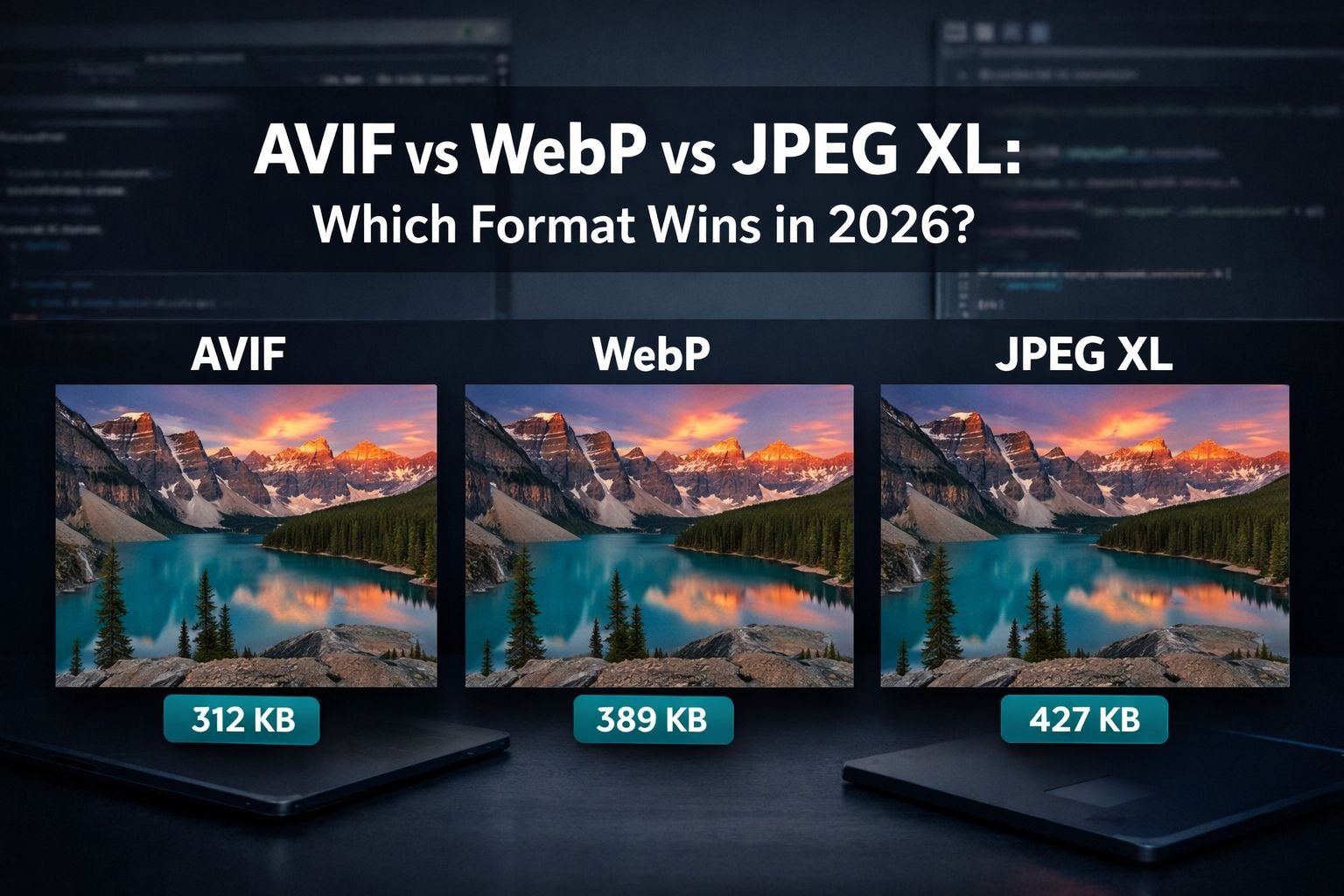
Last updated: June 29, 2026
Quick Answer: For most web projects in 2026, serve WebP as your baseline (97%+ browser support), use AVIF for hero images and large photos (50% smaller than JPEG, 95%+ support), and start evaluating JPEG XL for archival, HDR, and photography workflows now that Chrome has reintroduced JXL decoding support. The right choice depends on your audience’s browsers, your image types, and whether you need features like lossless JPEG transcoding or progressive decoding.
Key Takeaways
- WebP remains the safest universal format with ~97% global browser coverage and roughly 30% file size savings over JPEG.
- AVIF delivers the best lossy compression for photographs, producing files ~50% smaller than JPEG and ~20% smaller than WebP.
- JPEG XL returned to Chrome’s codebase in January 2026 via a Rust-based decoder, reversing Google’s controversial 2022 removal.
- JPEG XL is the only format offering lossless JPEG transcoding — bit-for-bit reversible recompression that cuts JPEG file sizes by ~20% without any quality loss.
- AVIF encoding is significantly slower than WebP or JPEG XL, which matters for large-scale or real-time workflows.
- JPEG XL supports true progressive decoding (images render at low resolution first, then sharpen), a feature AVIF lacks entirely.
- For 2026 production sites, a multi-format strategy using
<picture>elements with AVIF and WebP sources plus a JPEG fallback covers nearly 100% of users. - JPEG XL browser support is still experimental (~10–25% of users), so it’s not yet ready for primary web delivery.
The Three Contenders: Why AVIF, WebP, and JPEG XL Are Replacing JPEG and PNG
JPEG turned 30 in 2022. PNG is nearly as old. Both formats were designed for a different era of bandwidth and screen technology. The three next-generation formats — WebP, AVIF, and JPEG XL — each address different limitations of legacy formats, and understanding their origins helps explain their strengths.
WebP was developed by Google and released in 2010. It uses VP8 (lossy) and VP8L (lossless) codecs, and it was the first next-gen format to achieve near-universal browser adoption. It’s the “safe default” in 2026.
AVIF is based on the AV1 video codec and is backed by the Alliance for Open Media (AOMedia), which includes Google, Apple, Netflix, and Meta. AVIF v1.2.0, released in December 2025, added sample transforms and HDR gain maps. It excels at lossy compression for photographic content.
JPEG XL was developed by the JPEG committee (the same group behind the original JPEG). After Google controversially removed JXL support from Chrome in late 2022, the format’s future on the web looked uncertain. But in January 2026, Google added a Rust-based JXL decoder back into the Chromium codebase, reigniting the AVIF vs WebP vs JPEG XL debate. Safari already supports JPEG XL natively on iOS 17+ and macOS Sonoma+.
For a deeper look at how these formats compare to legacy JPEG, see our earlier AVIF vs WebP vs JPEG comparison.
How Does Compression Performance Compare Across AVIF vs WebP vs JPEG XL?
AVIF wins for lossy photo compression. JPEG XL wins for versatility and lossless use cases. WebP sits in the middle as a reliable all-rounder.
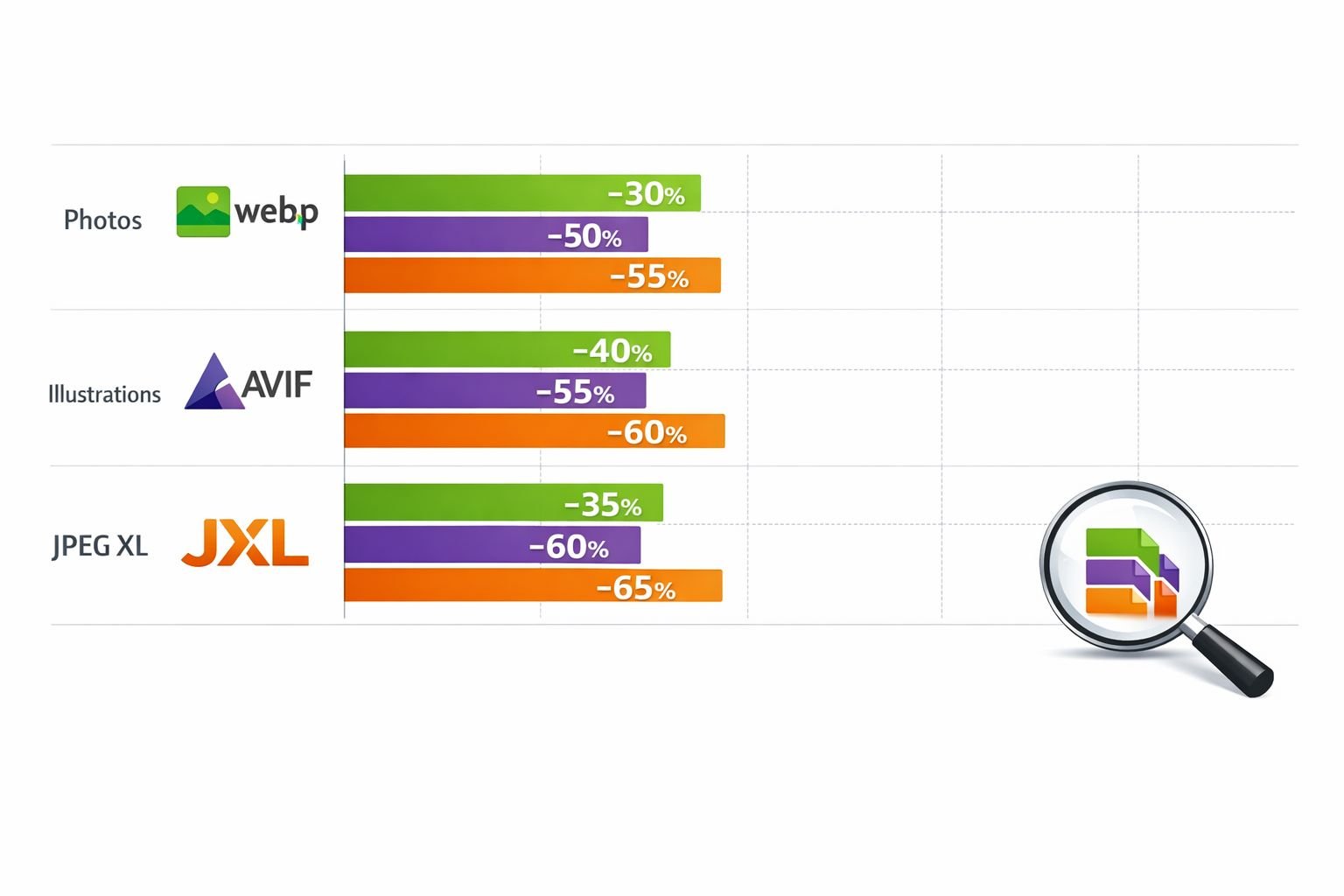
Here’s what the data shows for typical photographic images:
| Metric | WebP | AVIF | JPEG XL |
|---|---|---|---|
| Lossy size vs. JPEG | ~30% smaller | ~50% smaller | ~60% smaller |
| Lossy size vs. WebP | Baseline | ~20% smaller | ~10–15% smaller than AVIF |
| Lossless vs. PNG | ~26% smaller | ~20–30% smaller | ~35% smaller |
| Encoding speed | Fast | Slow (3–10× slower) | Fast to moderate |
| Decoding speed | Fast | Moderate | Fast |
Sources: Compression ratios based on published comparisons from Elementor, ThimPress, and The CSS Agency.
Important nuance: These numbers vary by image content. AVIF tends to perform best on complex photographic images with gradients and fine detail. JPEG XL’s advantage grows with high-resolution images and when lossless compression matters. WebP performs well on UI elements, icons, and mid-resolution web graphics.
For practical compression testing, you can try different formats using Core Tools Hub’s image compressor — all processing runs in your browser with no uploads required.
Browser Support in 2026: WebP, AVIF, and the JPEG XL Comeback
WebP works almost everywhere. AVIF works in all major modern browsers. JPEG XL is the wildcard — promising but not yet production-ready for broad web delivery.
| Browser | WebP | AVIF | JPEG XL |
|---|---|---|---|
| Chrome 145+ | ✅ Full | ✅ Full | ⚠️ Behind flag |
| Firefox | ✅ Full | ✅ Full | ❌ Not supported |
| Safari (iOS 17+, macOS Sonoma+) | ✅ Full | ✅ Full | ✅ Native |
| Edge | ✅ Full | ✅ Full | ⚠️ Behind flag (Chromium-based) |
| Global coverage estimate | ~97% | ~95% | ~10–25 |
The big 2026 story is JPEG XL’s return to Chromium. Google added a Rust-based jxl-rs decoder to the Chromium codebase on January 8, 2026, reversing the removal that frustrated developers and standards advocates in 2022. As Roland Wooster, an Intel principal engineer, noted, JPEG XL is “the best for HDR stills, web compression, 16-bit channels, wide gamuts like ProPhoto, lossless options, and progressive decoding — superior to AVIF/WebP”.
However, JXL support in Chrome is currently behind a build flag, not enabled by default. No specific date for stable-channel default support has been announced as of March 2026. Firefox hasn’t committed to JXL support either.
Practical recommendation for 2026: Use a <picture> element serving AVIF first, WebP second, and JPEG as the fallback. This covers ~99% of users. Add JPEG XL to your build pipeline now if you’re targeting Safari users or preparing for Chrome’s eventual default support.
For background on why JPEG XL was removed and what its return means, read our analysis: Why JPEG XL Failed in 2025 (And What It Means for WebP Users).
Encoding Speed, HDR, and Progressive Loading: Technical Trade-Offs in AVIF vs WebP vs JPEG XL
AVIF encoding is slow — often 3 to 10 times slower than WebP or JPEG XL at comparable quality settings. This is the format’s biggest practical drawback.
Here’s a breakdown of the key technical differences:
| Feature | WebP | AVIF | JPEG XL |
|---|---|---|---|
| Max color depth | 8-bit | 12-bit | 16-bit |
| HDR support | ❌ No | ✅ Yes (HDR gain maps) | ✅ Yes (native) |
| Transparency (alpha) | ✅ Yes | ✅ Yes | ✅ Yes |
| Animation | ✅ Yes | ✅ Yes (limited) | ✅ Yes |
| Progressive decoding | ❌ No | ❌ No | ✅ Yes |
| Lossless JPEG transcoding | ❌ No | ❌ No | ✅ Yes |
| Wide color gamut | Limited | ✅ Display P3+ | ✅ ProPhoto, P3+ |
Why encoding speed matters: If you’re running a CMS that converts images on upload, or a CDN that transcodes on the fly, AVIF’s slow encoding adds real cost. JPEG XL and WebP encode much faster at equivalent quality levels. For batch workflows, this difference is significant — a 1,000-image photo gallery that takes 10 minutes in WebP might take 30–90 minutes in AVIF.
Progressive decoding is a feature unique to JPEG XL among these three formats. With progressive decoding, the browser renders a low-resolution preview almost immediately, then progressively sharpens the image as more data arrives. This improves perceived performance, especially on slow connections. Neither AVIF nor WebP supports this.
HDR and wide gamut are increasingly relevant as HDR displays become standard on phones and laptops. Both AVIF (with its v1.2.0 HDR gain maps) and JPEG XL handle HDR well, but JPEG XL’s 16-bit depth and ProPhoto gamut support give it an edge for professional photography workflows.
If you’re working with high-resolution images and need to reduce file size for web without losing quality, understanding these trade-offs helps you pick the right format for each use case.
JPEG XL’s Unique Feature: Lossless JPEG Transcoding Explained
JPEG XL can recompress existing JPEG files into smaller JXL files with zero quality loss — and convert them back to the exact original JPEG, bit for bit. No other format can do this.
This feature, called lossless JPEG transcoding, typically reduces JPEG file sizes by about 20%. Here’s why that matters:
- Archives and photography studios sitting on terabytes of JPEG files can save 20% storage without touching image quality.
- The conversion is fully reversible. A JXL file created from a JPEG can be converted back to produce the identical original JPEG. Every pixel, every byte — unchanged.
- No generational loss. Converting JPEG → AVIF or JPEG → WebP always involves re-encoding, which introduces at least some quality degradation. JPEG → JXL avoids this entirely.
Who benefits most: Professional photographers, media archives, news organizations, and anyone managing large JPEG libraries. For web delivery, this feature is less critical since you’d typically serve lossy-optimized files anyway. But for backend storage and asset management, it’s a genuine differentiator.
Jon Sneyers, a Cloudinary senior image researcher and JPEG XL spec editor, has noted that JXL maintenance overhead is minimal, making it a low-risk format to adopt for archival purposes.
For a broader look at how lossless and lossy compression strategies differ, see our guide on lossless vs. lossy formats.
Format Decision Guide: Which to Use for Web, Photography, and Archives
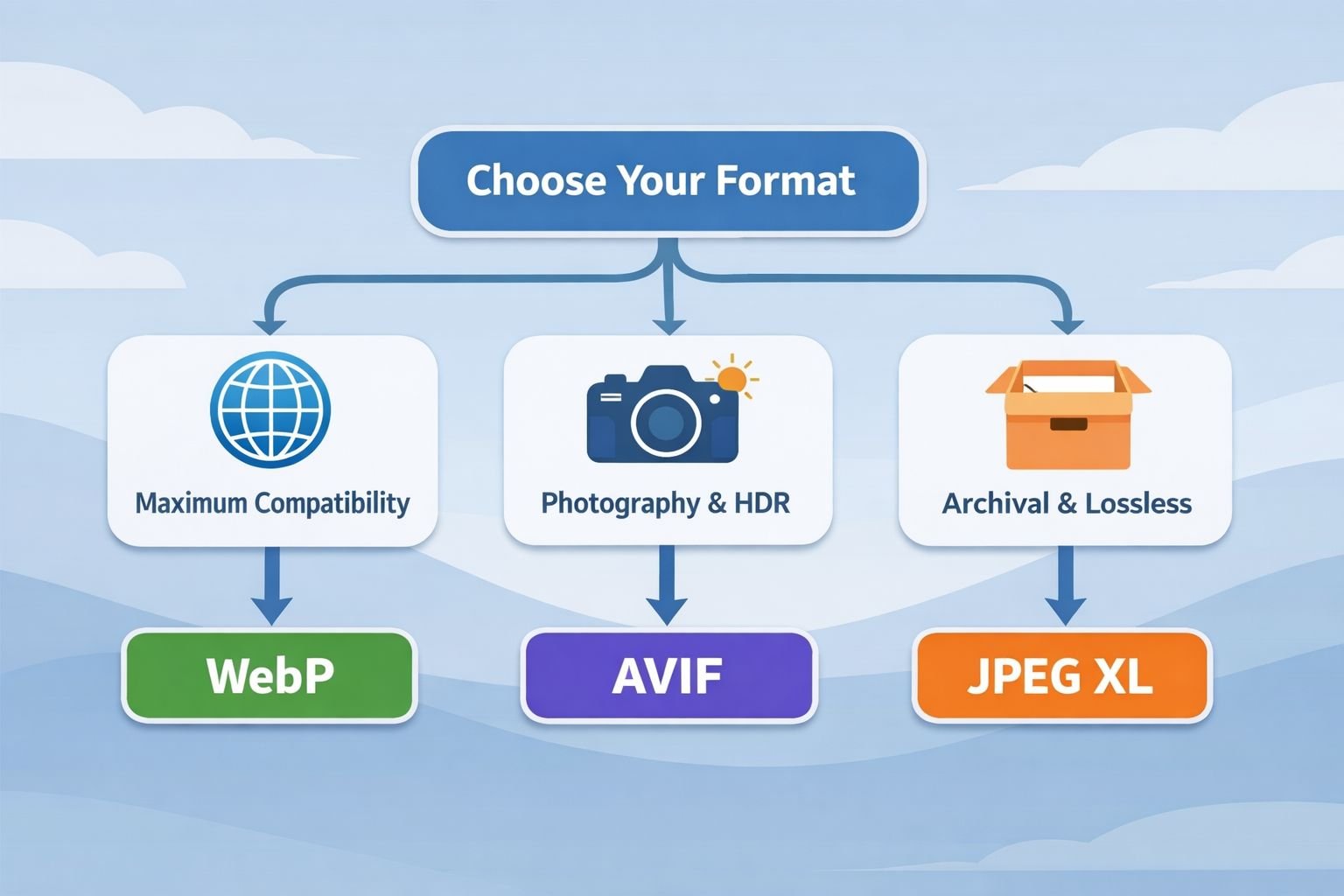
Choose WebP if you need maximum browser compatibility right now, you’re serving UI elements, icons, or standard web graphics, or your CMS/CDN already has WebP support baked in. It’s the format with the least friction in 2026.
Choose AVIF if you’re optimizing large hero images, product photos, or other photographic content where file-size savings directly impact page load speed. The ~50% reduction over JPEG is substantial for image-heavy pages. Accept the slower encoding as a build-time cost.
Choose JPEG XL if you need lossless JPEG transcoding for archives, are targeting Safari users, need progressive decoding, or are building for HDR/wide-gamut displays. Start including JXL in your pipeline now, but don’t rely on it as your only web format yet.
Best Settings Quick Reference
| Use Case | Recommended Format | Quality Setting | Notes |
|---|---|---|---|
| Hero images / large photos | AVIF (primary), WebP (fallback) | AVIF q60–70, WebP q75–80 | Biggest file size wins |
| UI elements / icons | WebP or SVG | WebP q80+ lossless for icons | SVG preferred for vector |
| Photo archives / storage | JPEG XL | Lossless transcode from JPEG | 20% savings, fully reversible |
| HDR photography | JPEG XL or AVIF | Format-specific HDR settings | JXL for 16-bit, AVIF for 12-bit |
| Animated content | WebP | Varies | Better tooling than AVIF animation |
| E-commerce product images | AVIF + WebP fallback | AVIF q65, WebP q78 | Test on actual product shots |
Common Mistakes
- Serving only one format without fallbacks. Always use
<picture>with multiple sources. Even with AVIF’s 95% support, 1 in 20 visitors might see a broken image. - Using AVIF for thumbnails. The encoding overhead isn’t worth it for small images. WebP, or even an optimized JPEG, is fine for images under 50 KB.
- Assuming JPEG XL works in Chrome by default. As of March 2026, it’s behind a flag. Don’t serve JXL as a primary format without checking
Acceptheaders. - Ignoring encoding time in CI/CD pipelines. AVIF can significantly slow down build times. Budget for this or use pre-encoded assets.
- Converting JPEG → AVIF → back to JPEG. This causes generational loss. If you need reversibility, JPEG XL’s lossless transcoding is the only safe option.
Converting Between Formats: Practical Tools and Workflows
The fastest way to test these formats is to convert a few representative images and compare file sizes and visual quality side by side.
For quick browser-based conversion:
- Open Core Tools Hub’s AVIF converter — it handles PNG, JPG, and WebP to AVIF conversion directly in your browser. No installs, no signup required, and all processing stays on your device.
- For WebP conversion, use the PNG to WebP or JPG to WebP converters for fast, clean results.
- After converting, run the output through the image compressor to fine-tune file size.
For production pipelines, consider tools like:
- libavif and cavif for AVIF encoding in build scripts
- cwebp (Google’s official encoder) for WebP
- libjxl or jxl-rs for JPEG XL encoding
- Squoosh (browser-based, supports all three formats for testing)
- ImageMagick 7.1+ with format-specific delegates
Multi-format serving with <picture>:
<code class="language-html"><picture>
  <source srcset="image.jxl" type="image/jxl">
  <source srcset="image.avif" type="image/avif">
  <source srcset="image.webp" type="image/webp">
  <img src="image.jpg" alt="Description" width="800" height="600">
</picture>
</code>
This serves JXL to Safari and future Chrome builds, AVIF to modern browsers, WebP to slightly older browsers, and JPEG as the universal fallback. The browser picks the first format it supports.
For more on next-generation format developments, including WebP2 and AVIF-2, see our coverage of WebP2 vs. AVIF-2 encoding efficiency.
Conclusion
The AVIF vs WebP vs JPEG XL debate in 2026 isn’t about picking one winner — it’s about matching the right format to each use case.
For immediate action:
- Default to WebP for general web images. It’s fast to encode, universally supported, and meaningfully smaller than JPEG.
- Add AVIF for your largest, most impactful images (heroes, product shots, editorial photography). The file size savings are too significant to ignore.
- Evaluate JPEG XL for archival workflows, HDR content, and Safari-targeted projects. Chrome’s reintroduction of JXL decoding signals that broader support may be on the way, making 2026 the right time to build JXL into your pipeline — even if you don’t serve it to all users yet.
The multi-format <picture> approach costs a bit of extra storage and build complexity, but it delivers the smallest possible file to every visitor. That’s the practical path forward.
Ready to test these formats yourself? Try converting your images with Core Tools Hub’s image tools — everything runs in your browser, keeps your files private, and requires no signup.
FAQ
Is AVIF better than WebP in 2026?
For photographic images, yes. AVIF produces files roughly 20% smaller than WebP at equivalent visual quality. But WebP encodes much faster and has slightly broader browser support, so “better” depends on your priorities.
Does Chrome support JPEG XL in 2026?
Chrome 145 reintroduced JPEG XL decoding via a Rust-based implementation, but it’s behind a build flag as of March 2026 — not enabled by default for regular users.
Can I convert JPEG to JPEG XL without losing quality?
Yes. JPEG XL’s lossless transcoding feature compresses JPEG files by ~20% and is fully reversible — you can reconstruct the exact original JPEG from the JXL file. No other next-gen format offers this.
Which format loads fastest in browsers?
WebP and JPEG XL decode fastest. AVIF decoding is moderately slower due to the AV1 codec’s complexity. JPEG XL also supports progressive decoding, which improves perceived load speed on slow connections.
Should I stop using JPEG entirely? Not yet. JPEG remains the universal fallback and is still the best choice when you need guaranteed compatibility across all devices, email clients, and legacy systems. Use it as the final source in your <picture> element.
What about PNG — is it obsolete?
For web delivery, mostly yes. WebP lossless is ~26% smaller than PNG with equivalent quality. PNG still has a role in workflows that require broad software compatibility (e.g., print, design tools), but for websites, WebP or AVIF lossless are better choices.
Is JPEG XL the best format overall?
On paper, JPEG XL offers the most features: best compression ratios, progressive decoding, lossless JPEG transcoding, HDR, and wide gamut. Its main limitation is browser support — until Chrome enables JXL by default, it can’t be your primary web format.
How do I serve different formats to different browsers?
Use the HTML <picture> element with multiple <source> tags. The browser automatically selects the first format it supports. See the code example in the “Converting Between Formats” section above.
Does AVIF support animation?
Yes, but tooling and browser support for AVIF animation is less mature than WebP animation. For animated web content, WebP is currently the more practical choice.
What’s the best format for e-commerce product images?
Serve AVIF as the primary format with WebP as fallback. Product images are typically photographic content where AVIF’s compression advantage is most pronounced. Test with your actual product shots — results vary by image complexity.